

On this page we’ve put together answers to the questions most frequently asked about Iconomix.
Can’t find the right answer to your question? Use our contact form to describe as specifically as you can what steps lead to which problem. We will get in touch with you as quickly as possible.
On the login page, you can click on register to submit a registration request.
Right after sending the form, you will receive an email to confirm your email address. We will check your application as soon as we receive this confirmation.
Your application will be checked within a few days to ensure that no learners have access to the solutions. If you have been identified as a teacher, your application will be accepted and you will receive an email notification.
From this point on, you will have access to all sample answers.
Via the ‘password forgotten’ link on the login page, you can have an email sent to you with your user name and instructions on how to reset your password.
Please note that the registration only works with the user name, not with the email address.
Are you using the right user name?
Please note that the registration only works with the user name, not with the email address.
Please pay attention to the use of upper and lower case when entering your user name and password. The user name must not contain any spaces or letters with an umlaut (ä, ö, ü).
Sample answers may only be accessed by teachers.
Applications for registration are checked carefully, which may include verification with your school secretariat. Perhaps the email address on your application was not known to the secretariat, or we did not receive a reply to our request for confirmation.
Please check your email spam/junk folder. Automatic confirmation emails can sometimes be categorised as spam.
Yes, it is possible to register as a teacher at a school abroad. The only difference is that you will be required to pay for any materials that we send you, e.g. games.
When registering, please select ‘Lower secondary level (Switzerland) / Institutes of higher education (Switzerland) / Abroad (all levels)’ as the school level.
You can have the password reset on the login page, via the ‘password forgotten’ link. You will then receive an email with further instructions.
If no email reaches you, this means either the email address or the user name you entered are incorrect, or the email landed in your spam/junk folder.
Sign in on login page. At the top of the page just below your user name, you will find the menu entry change password.
Sign in on the login page. At the top of the page, you will see the ‘Profile’ item. On this page you can adjust all your details, except your user name.
In your browser, choose English as your preferred language, e.g. in
The website will then automatically appear in English.
Or bookmark the English homepage: www.iconomix.ch/en/.
The sample answers to the individual learning units are on the page of the unit in question under ‘Worksheet’.
Sample answers may only be accessed by teachers.
It is best to download the worksheet as a PDF file and share it with your students over your school’s learning management system (LMS) or in some other fashion.
To ensure full functionality of the fillable PDF, we recommend that students edit and save the PDF file in Adobe Acrobat Reader (or similar program, such as PDF Expert, iAnnotate) rather than in a browser.
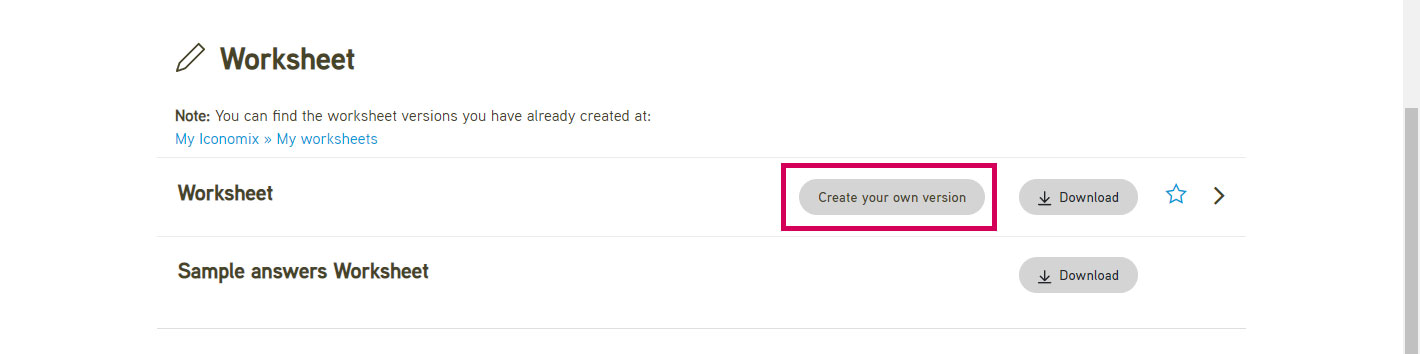
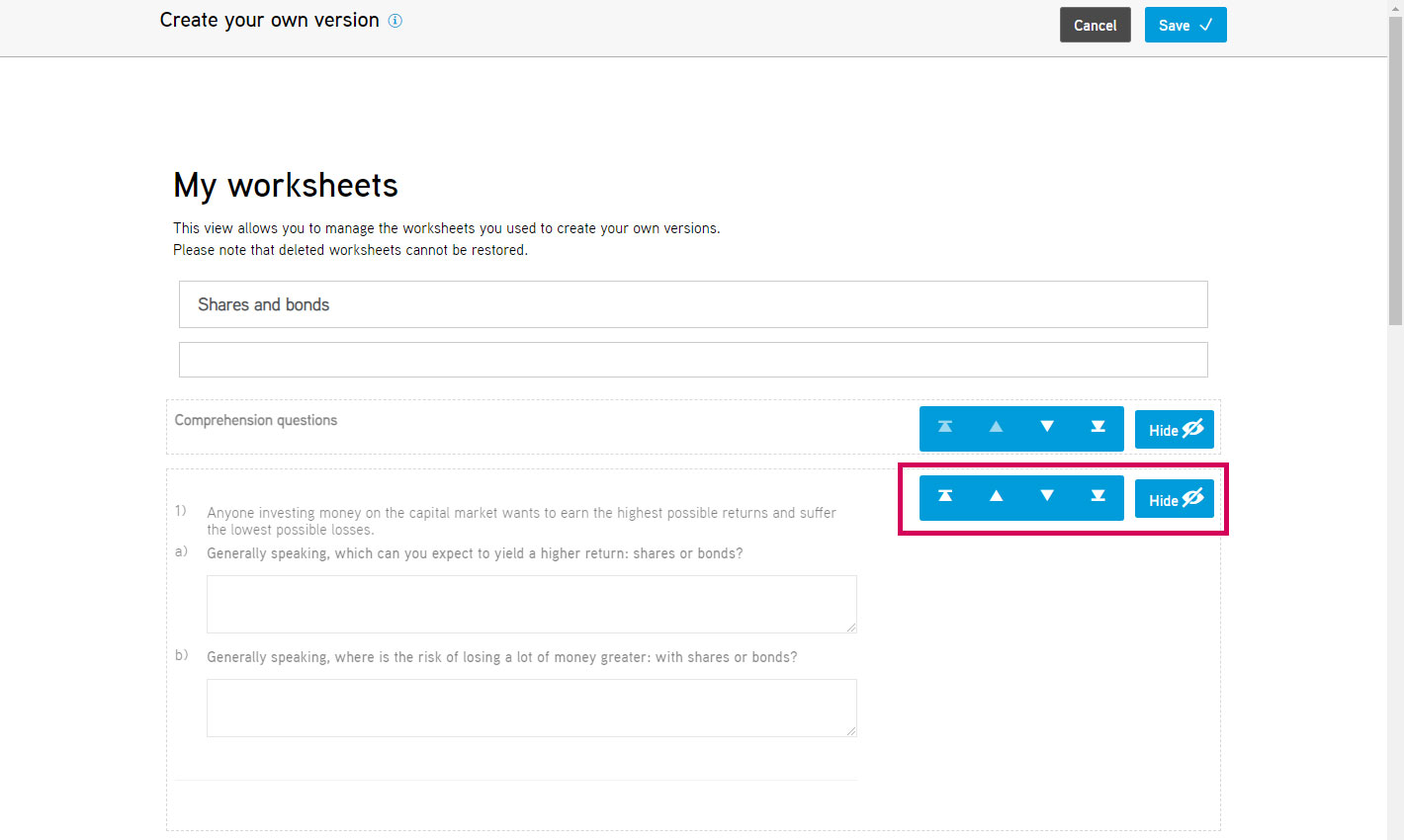
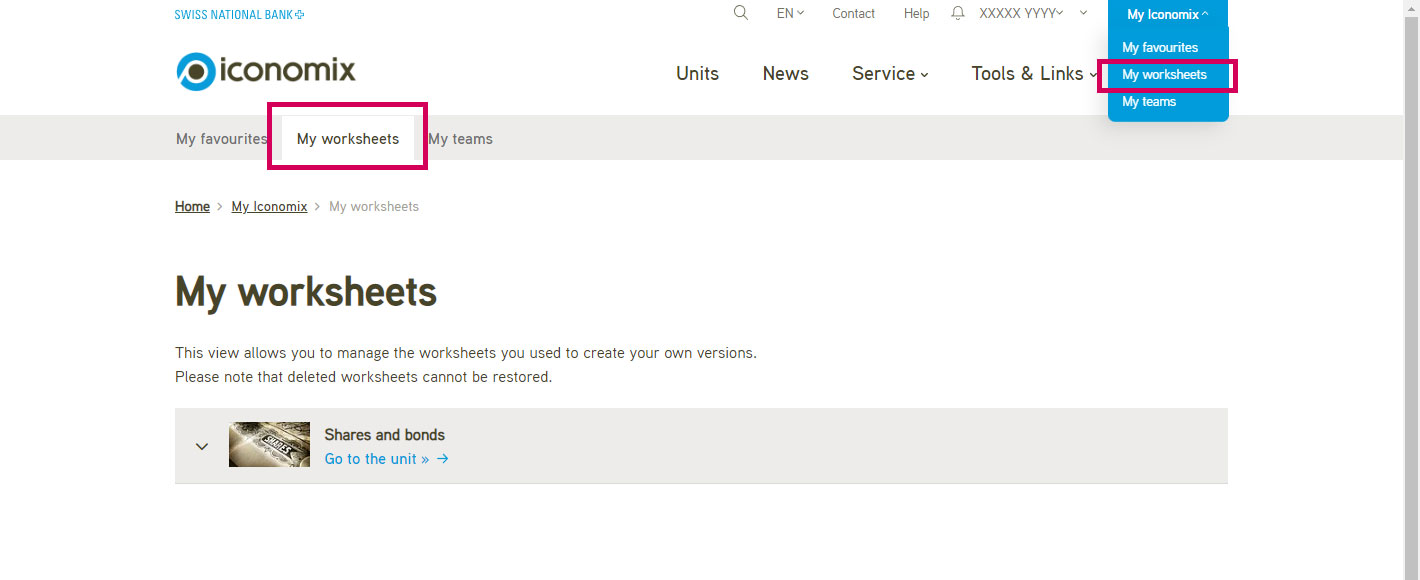
Use the online configurator to adapt the Iconomix worksheets to your students’ needs by hiding individual exercises or changing the sequence.
For copyright reasons, you now need to be logged in to play some of the videos from public sector media companies (e.g. SRF/RTS) that Iconomix provides via nanoo.tv.
How to share a video with students:
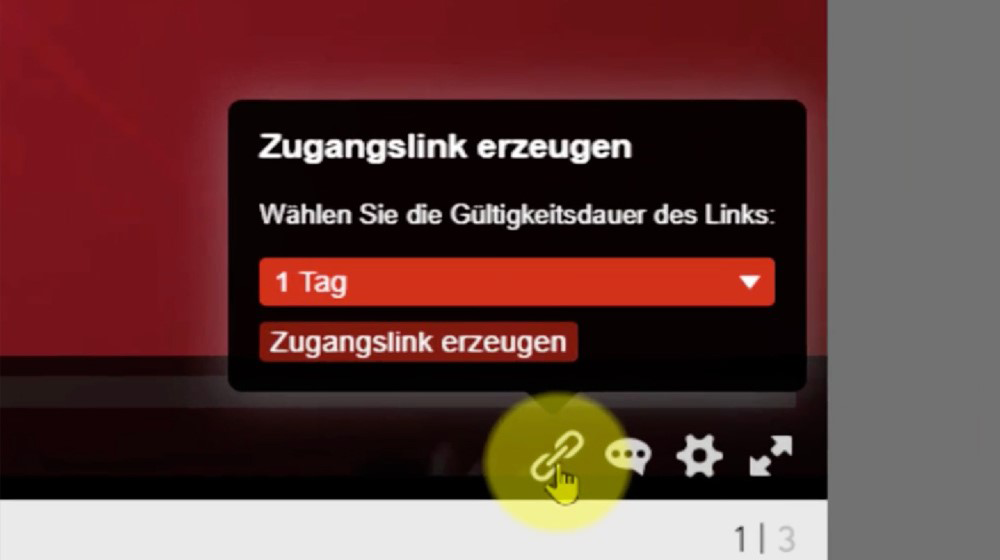
Is the share icon in the player still greyed out? Please click here.